Learn how to create a UPI ID, its format, benefits, and how to use it for seamless digital payments in India.

Digital payments in India have evolved rapidly, and the Unified Payments Interface (UPI) plays a central role in enabling instant money transfers. At the heart of this system is the UPI ID, which simplifies payments without requiring bank account details.
Understanding what a UPI ID is and how to create one allows users to access fast, secure, and convenient digital transactions.
What is a UPI ID?
A UPI ID, also known as a Virtual Payment Address (VPA), is a unique identifier linked to your bank account. It allows you to send and receive money without sharing sensitive details like account numbers or IFSC codes.
UPI ID Format
The typical format looks like:
username@bankname
Examples:
- yourname@ybl
- 9876543210@paytm
- yourname@okicici
The first part can be your name or mobile number, while the suffix represents your bank or payment provider.
Benefits of Using a UPI ID
UPI IDs are widely used in India due to their convenience and security.
Key Advantages
- Secure Transactions: No need to share bank details; payments require a UPI PIN
- Instant Transfers: Money is transferred in real time within seconds
- 24/7 Availability: Works anytime, including weekends and holidays
- Low or No Charges: Most transactions are free
- No Minimum Limit: Even ₹1 transactions are supported
- Multiple Accounts: Link multiple bank accounts in one app
- Offline Access: Use *99# for transactions without internet
How to Create a UPI ID
Creating a UPI ID is simple and takes only a few minutes.
Prerequisites
- Bank account linked to your mobile number
- Active debit card
- Smartphone or feature phone
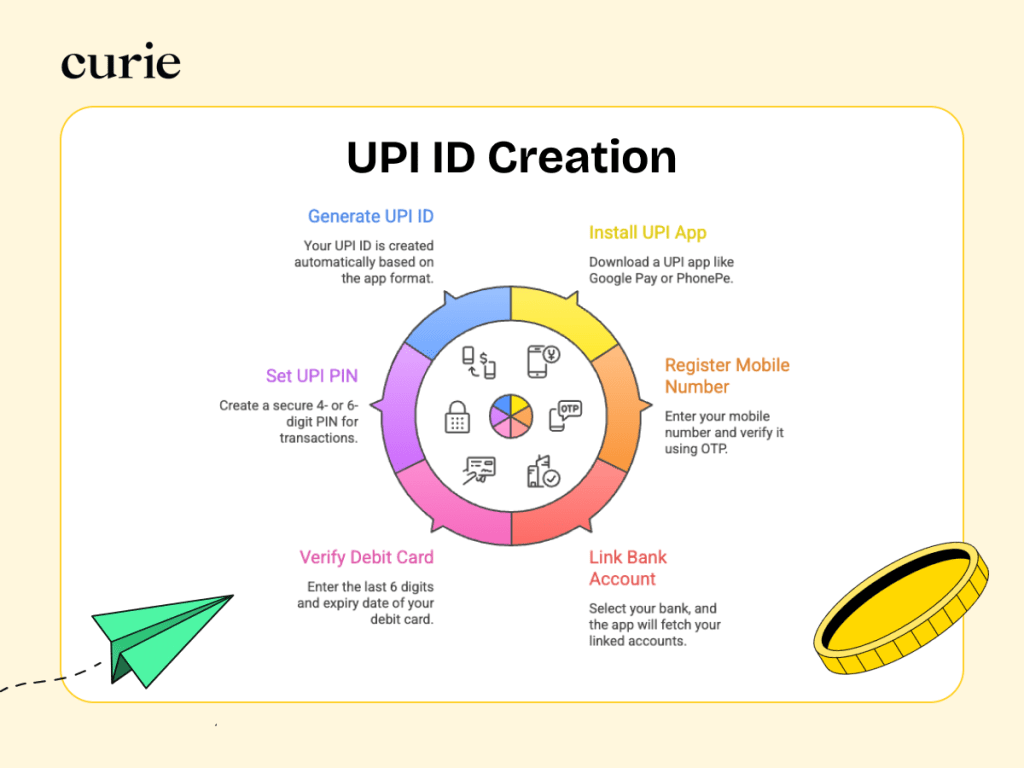
Step-by-Step Process
Step 1: Install a UPI App
Download apps like Google Pay, Curie Money UPI, PhonePe, Paytm, or BHIM.
Step 2: Register Mobile Number
Enter your mobile number and verify it using OTP.
Step 3: Link Bank Account
Select your bank; the app fetches linked accounts automatically
Step 4: Verify Debit Card
Enter the last 6 digits and expiry date of your debit card.
Step 5: Set UPI PIN
Create a secure 4- or 6-digit PIN for transactions.
Step 6: Generate UPI ID
Your UPI ID is created automatically based on the app format.
How to Create UPI ID Without Internet
Users without smartphones can still access UPI services:
- Dial *99#
- Select your bank
- Enter debit card details
- Set UPI PIN
This allows basic services like sending money and checking balance.
How to Use a UPI ID for Payments
Sending money using a UPI ID is straightforward:
- Open your UPI app
- Select Send Money
- Enter recipient UPI ID
- Enter amount
- Confirm using UPI PIN
The transaction is completed instantly.
UPI Security Tips
- Never share your UPI PIN or OTP
- Always verify recipient details
- Use trusted apps only
- Avoid unknown QR codes or links
- Enable app lock or biometric security
Conclusion
A UPI ID simplifies digital payments by eliminating the need for bank details while ensuring secure and instant transactions. With easy setup and widespread acceptance, UPI has become an essential part of India’s financial ecosystem. Creating a UPI ID takes only a few minutes and enables seamless money transfers anytime, anywhere.
FAQs
1. Can I create multiple UPI IDs?
Yes, multiple UPI IDs can be created for the same bank account.
2. Is sharing a UPI ID safe?
Yes, it only allows receiving money, not withdrawals.
3. What if I forget my UPI PIN?
Reset it using the “Forgot UPI PIN” option.
4. Are UPI transactions free?
Most peer-to-peer transactions are free.
5. What is the UPI transaction limit?
Typically ₹1,00,000 per transaction, depending on the bank.
 Site Title
Leave a comment